In the digital era, efficiency and productivity are paramount for business success. AI-powered workflow automation systems can transform business operations, streamline processes, and reduce manual intervention. Building such a system, however, requires careful planning and execution. This article outlines the essential steps to build an AI-powered workflow automation system, providing a comprehensive guide for businesses looking to harness the power of artificial intelligence.
Understanding AI-Powered Workflow Automation
What is AI-Powered Workflow Automation?
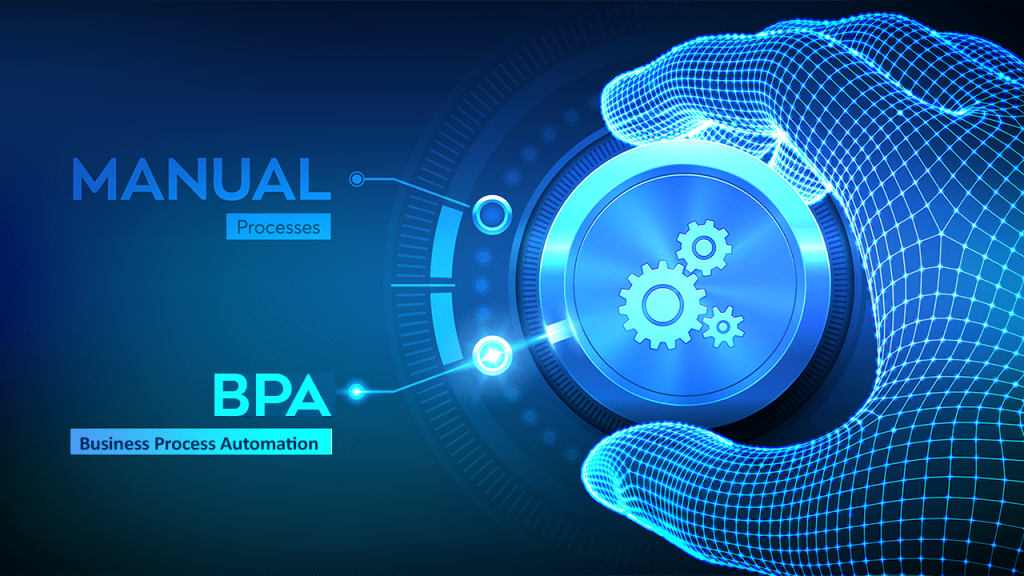
AI-powered workflow automation involves using artificial intelligence technologies to automate repetitive and routine tasks within a business process. This can include data entry, processing transactions, managing communications, and more. The goal is to reduce manual effort, minimize errors, and improve overall efficiency.
Benefits of AI-Powered Workflow Automation
- Increased Efficiency: Automates repetitive tasks, freeing up human resources for more strategic activities.
- Enhanced Accuracy: Reduces human error, ensuring more reliable outcomes.
- Scalability: Can handle large volumes of work without a decline in performance.
- Cost Savings: Reduces operational costs by automating routine tasks.
- Improved Decision-Making: Provides insights and predictive analytics, aiding in better decision-making.
Steps to Build an AI-Powered Workflow Automation System
Step 1: Identify and Analyze Workflow Processes
Conduct a Workflow Audit
Begin by auditing existing workflow processes to identify tasks that are repetitive, time-consuming, and prone to errors. Document these processes in detail, noting the steps involved, the time taken for each task, and the resources required.
Prioritize Tasks for Automation
Not all tasks are suitable for automation. Prioritize tasks based on criteria such as frequency, complexity, and impact on business operations. Focus on tasks that will provide the most significant efficiency gains when automated.
Step 2: Define Objectives and Goals
Set Clear Objectives
Establish clear objectives for what you aim to achieve with the AI-powered workflow automation system. This could include reducing processing times, improving accuracy, enhancing customer satisfaction, or reducing costs.
Align with Business Goals
Ensure that the automation objectives align with overall business goals and strategies. This alignment will help secure stakeholder buy-in and ensure that the automation efforts support broader organizational objectives.
Step 3: Choose the Right AI Technologies
Evaluate AI Technologies
Consider the various AI technologies available and evaluate which ones are best suited to your needs. Key technologies to consider include:
- Machine Learning (ML): For predictive analytics and decision-making.
- Natural Language Processing (NLP): For understanding and processing human language.
- Robotic Process Automation (RPA): For automating repetitive tasks.
- Computer Vision: For tasks that involve processing visual information.
Select AI Tools and Platforms
Select AI tools and platforms that align with your chosen technologies and objectives. Look for tools that offer scalability, ease of integration, and robust support. Popular platforms include TensorFlow, IBM Watson, and Microsoft Azure AI.
Step 4: Design the Automation Workflow
Map Out the Workflow
Create a detailed map of the workflow you intend to automate. Define each step, decision point, and the flow of information. Use flowcharts or process mapping tools to visualize the workflow.
Define Input and Output Parameters
Clearly define the input and output parameters for each step in the workflow. This will help in designing the data flow and ensuring that the AI algorithms receive the necessary information to function correctly.
Step 5: Develop and Train AI Models
Collect and Prepare Data
Gather the data required to train your AI models. Ensure that the data is clean, relevant, and representative of the tasks you aim to automate. Data preparation involves cleaning, normalizing, and organizing the data for training purposes.
Train the AI Models
Use the prepared data to train your AI models. This involves feeding the data into the machine learning algorithms and allowing them to learn patterns and make predictions. Monitor the training process to ensure that the models are learning correctly and not overfitting.
Validate and Test the Models
After training, validate the AI models using a separate dataset to ensure they perform well on unseen data. Test the models in various scenarios to evaluate their accuracy, reliability, and robustness.
Step 6: Integrate AI Models with Workflow Systems
Connect AI Models to Existing Systems
Integrate the trained AI models with your existing workflow systems. This may involve using APIs, middleware, or custom integrations to ensure seamless data flow between the AI models and the workflow systems.
Implement Automation Logic
Implement the logic that governs how the AI models will interact with the workflow. Define triggers, conditions, and actions that will automate the tasks based on the model’s predictions and outputs.
Step 7: Develop User Interfaces and Dashboards
Create User-Friendly Interfaces
Develop user interfaces that allow employees to interact with the automated workflow system easily. These interfaces should be intuitive and provide access to the necessary functions and controls.
Design Dashboards for Monitoring
Create dashboards that provide real-time monitoring of the automated workflows. Dashboards should display key metrics, performance indicators, and alerts to help users track the system’s performance and identify any issues promptly.
Step 8: Test the Automation System
Conduct End-to-End Testing
Perform end-to-end testing of the AI-powered workflow automation system to ensure that all components work together seamlessly. Test the system in various scenarios to identify and resolve any issues.
Gather Feedback from Users
Involve end-users in the testing process and gather their feedback. This will help identify any usability issues and ensure that the system meets user needs and expectations.
Step 9: Deploy the Automation System
Plan the Deployment
Plan the deployment carefully to minimize disruption to business operations. Consider deploying the system in phases, starting with a pilot phase to test the system in a controlled environment before full-scale deployment.
Train Employees
Provide training to employees on how to use the new automation system. Ensure that they understand how to interact with the system, interpret the results, and respond to alerts and notifications.
Step 10: Monitor and Optimize the System
Continuous Monitoring
Continuously monitor the performance of the AI-powered workflow automation system. Use the dashboards to track key metrics and identify any areas for improvement.
Regular Maintenance and Updates
Perform regular maintenance and updates to ensure that the system remains effective and up-to-date. This includes updating AI models with new data, fixing bugs, and enhancing system capabilities.
Gather and Analyze Data
Collect data on the system’s performance and analyze it to identify trends, issues, and opportunities for further optimization. Use this data to make informed decisions about future enhancements and improvements.
Step 11: Scale and Expand Automation
Identify Additional Use Cases
Once the initial automation system is running smoothly, identify additional use cases for AI-powered workflow automation. Look for other areas within the organization that could benefit from automation.
Expand the System
Scale the automation system to cover additional workflows and processes. Ensure that the system can handle the increased volume of tasks and maintain its performance and reliability.
Step 12: Foster a Culture of Continuous Improvement
Encourage Innovation
Foster a culture of innovation within the organization by encouraging employees to identify and suggest new areas for automation. This will help keep the organization at the forefront of technological advancements.
Invest in Research and Development
Invest in research and development to stay updated with the latest AI technologies and trends. This will enable the organization to continuously improve its automation capabilities and maintain a competitive edge.
Conclusion: Embracing the Future of AI-Powered Workflow Automation
Building an AI-powered workflow automation system is a transformative process that can significantly enhance business operations. By following these steps, organizations can harness the power of AI to automate repetitive tasks, improve efficiency, and drive innovation. As AI technologies continue to evolve, the potential for workflow automation will only grow, offering new opportunities for businesses to thrive in the digital age.
Embracing AI-powered workflow automation is not just about adopting new technology; it’s about rethinking how work gets done and creating a more agile, efficient, and innovative organization. With careful planning, execution, and continuous improvement, businesses can unlock the full potential of AI and transform their operations for the better.


Leave a Reply